

A sticky note on the edge of the screen, a schedule in Excel, a to-do list in Word shared by email or in the cloud… Aren't we wasting time with these tools, sometimes from another era? The rise of web services and the dream life of "startup-style work" are revealing new ways of working, driven by user-friendly, fun, and ultra-connected applications. We'd be wrong to ignore them.
Here are 5 tools (and a bonus 👌🏻) to streamline teamwork and save time on a daily basis!
SLACK
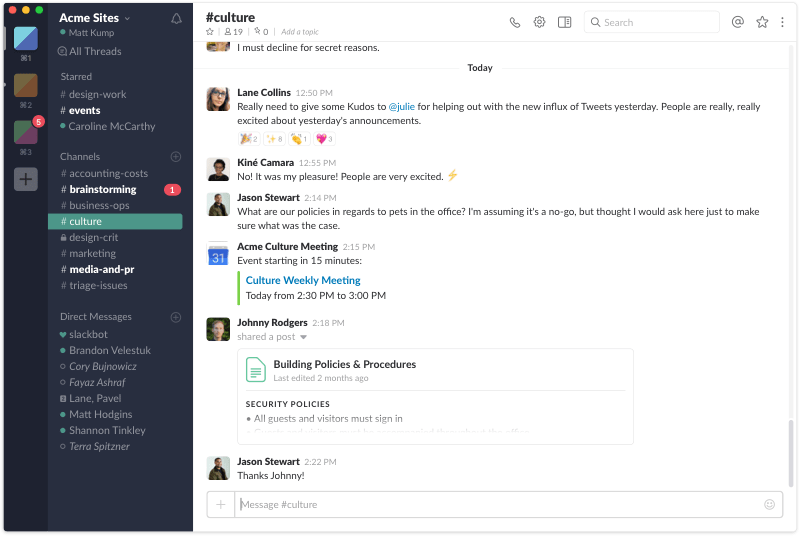
Slack is the leading tool in the startup world and, more recently, in large corporations worldwide. This tool offers a shared workspace. All conversations are organized by topic ("channels") and easily accessible thanks to a powerful search engine.
Slack is often considered a central tool for project management and, more broadly, team management. It allows users to create public and private discussions, and even make voice and video calls. It also connects with hundreds of applications, making it possible to centralize all information and more easily manage alerts and notifications.
To know more : https://slack.com/intl/fr-fr – available online or via app on Mac, PC, iOS and Android,
Prices: Free for up to 1000 users (5 GB, 10,000 accessible messages). Subscription from €6,25 for more space and users.
Any alternatives? Microsoft Team (Accessible only to (paid) Office365 Enterprise and Office365 Business subscribers, it seamlessly integrates with Microsoft products such as Excel and Word) and Discord(Graphically very similar to Slack, Discord focuses more on voice and video communication. Free)
TRELL
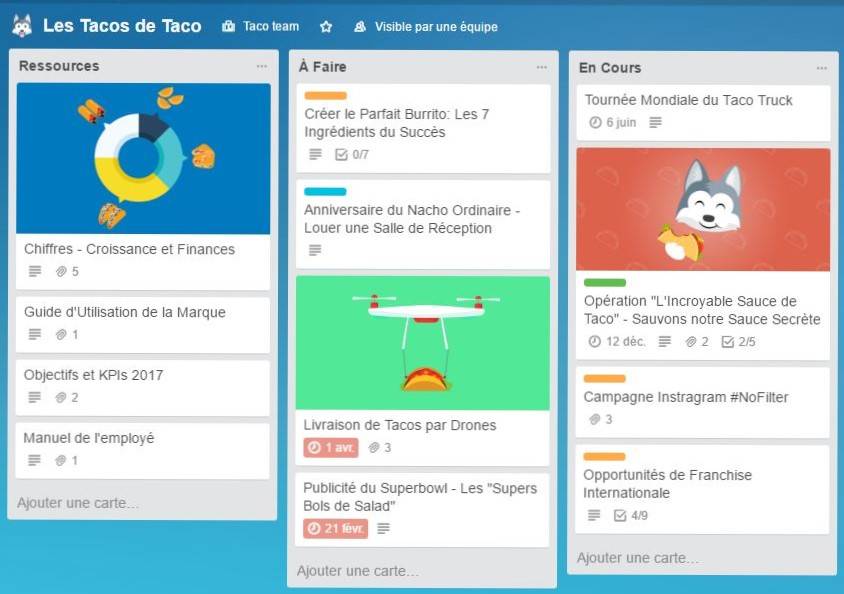
Created in 2010, Trello allows you to easily manage projects using customizable "columns," similar to a board of sticky notes. The tool's strength undoubtedly lies in its ease of use, which is based on simply dragging and dropping items. Offering numerous team management options, Trello lets you organize your work according to your preferred method. Whether you prefer the "Kanban" style (To Do / In Progress / Done) or a calendar view, the choice is yours!
To know more : https://trello.com – available as a web version and as an app on Windows, Mac and iOS
Prices: Free. Paid version from 9,99 euros per user per month to have an overview of the team and more security options.
>Any alternatives? Microsoft Everything (Task management tool integrated into the Office365 suite, accessible via the web and on smartphone and PC applications. Free) T (Collaborative task management application, accessible on iOS, Android, Mac and PC. Free for up to 80 lists).
EVERNOTE
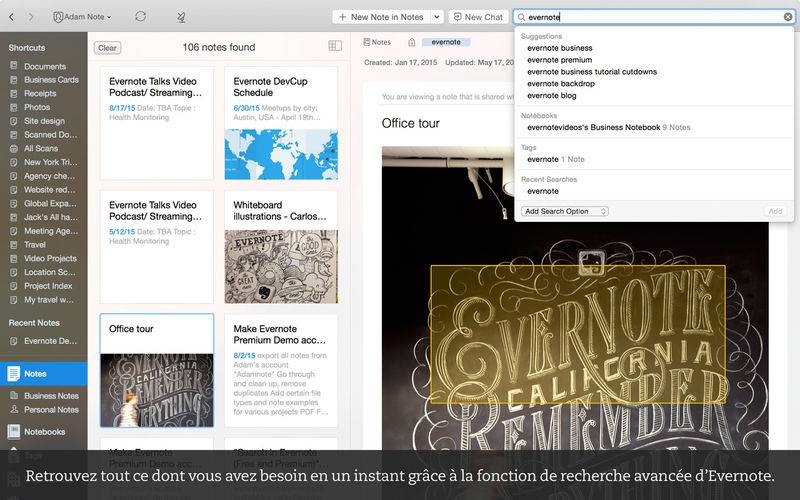
Evernote is a true digital notebook that you can sync across all your devices. You can save notes (typed or handwritten), save articles with one click, and add links, to-do lists, tables, attachments, or audio recordings. Each note can be saved in a thematic notebook, tagged with keywords, and shared with whomever you choose.
To know more : https://evernote.com/intl/fr/ – available as a web version and as an app on Windows, Mac, iOS and Android
Prices: Free to create notes that are synced across 2 devices. Subscription from €29,99/year to sync all devices and access your notebooks offline.
Any alternatives? Office OneNote (Free and intuitive, OneNote makes it easy to share notes thanks to seamless integration with the Office 365 suite), Google Keep (more like a digital sticky note tool than a real notebook, Keep offers an original display of information and integration with Google Docs. Free)
TOGGL
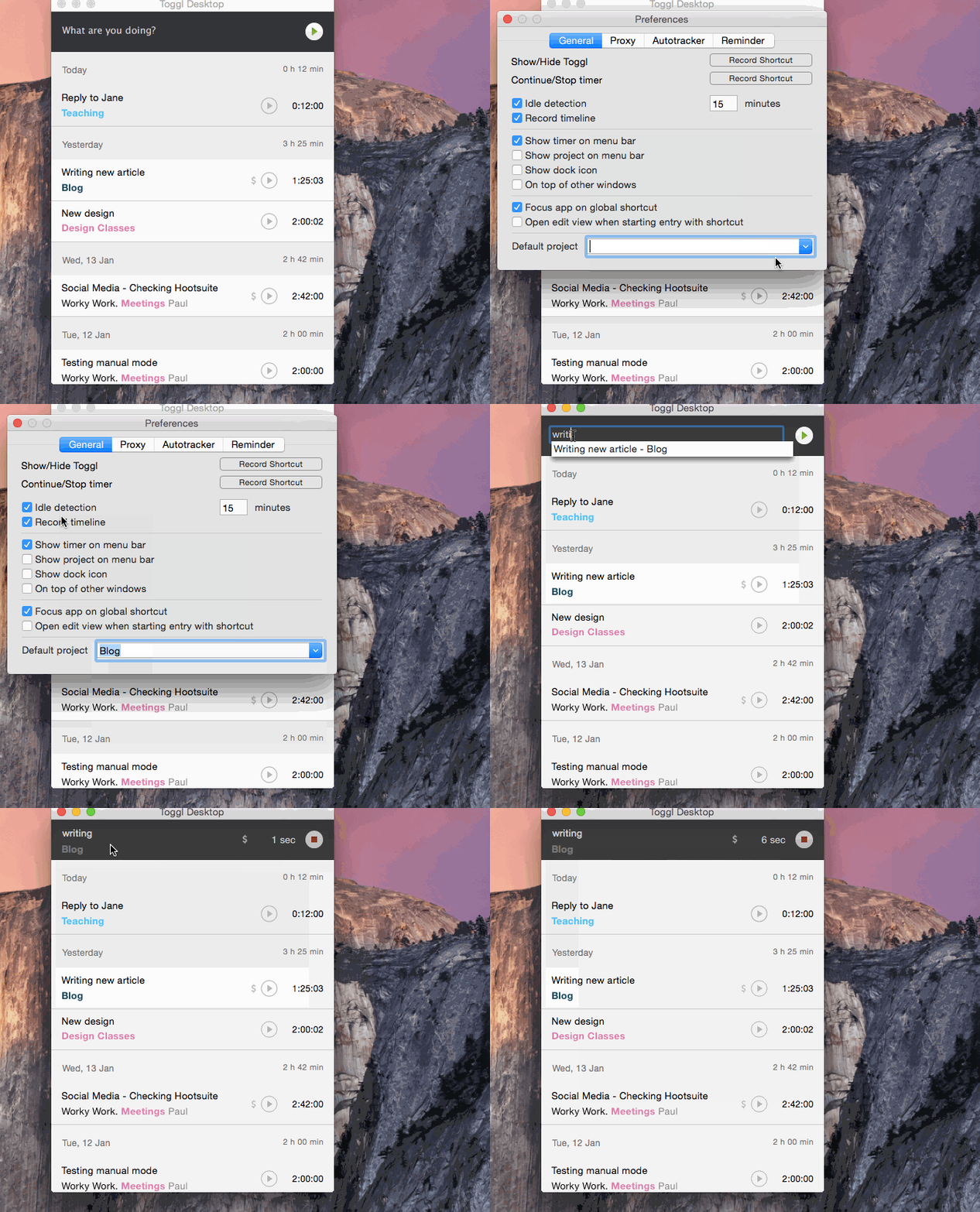
Need to identify your most time-consuming tasks or track the time spent on each of your projects? Toggl is a timer that lets you record, by theme (project, sub-project, client, etc.), the time spent on different tasks. Connected to other project management applications like Trello, Todoist, Google Drive, or Gmail, Toggl allows you to manage teams and obtain in-depth statistics on your activity.
To know more : www.toggl.com – available on Mac, iOS, Android, Windows and as a Chrome extension
Prices: Free. Subscription starting at $49/month for access to reporting and team management features.
Any alternatives? WudaTime (Similar to Toggl, Wudatime is completely free but does not yet offer a Chrome extension), RescueTime (Application that records your time spent on different tools and websites).
ZAPIER
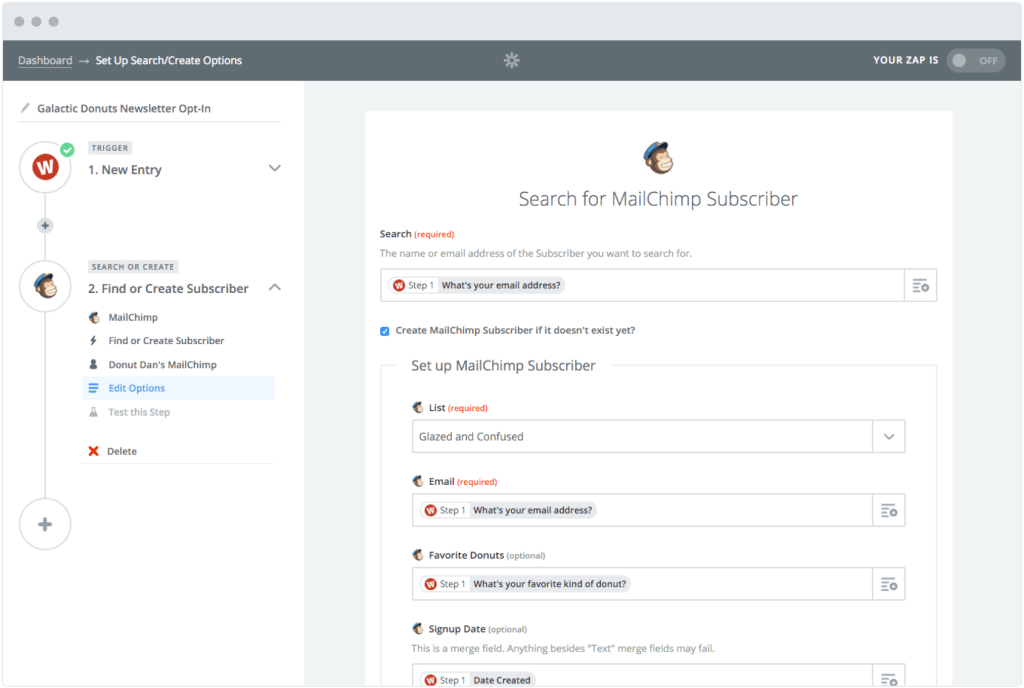
Zapier is more than just a project management tool. This web service makes it easy to automate actions between over 700 everyday tools. Want to automatically save your colleague's attachments to Dropbox? Add your new Twitter followers to a specific list or thank those who share your content? It couldn't be simpler with Zapier. You create your own automations (called "zaps") with just a few drag-and-drops: they'll change your life!
To know more : zapier.com – available on the web
Prices: Free to set up two "zaps". Subscription from €20 per month for complex "zaps": https://zapier.com/pricing/
Any alternatives? ITTT (Available on the web and via iOS and Android apps, IFTTT offers less customization. However, 500 automations are still available for free!)
BONUS: STATION
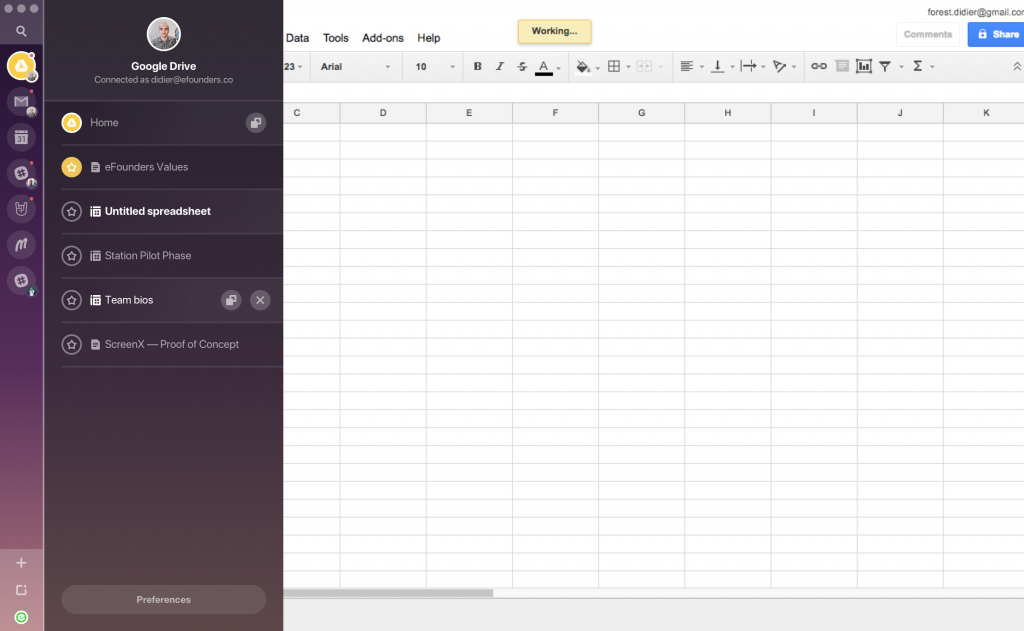
Between these project management tools and the now classic Canva, Calendly, Appear.in,Is your computer acting up? Station is THE solution. This application lets you manage over 100 tools within a single interface. We love it!
To know more : https://getstation.com – available on Mac and Windows
Price: Free !
Any alternatives? No such comprehensive solution exists.





It's a shame that no collaborative tools such as project management or planning tools, which are very useful in communication professions, are highlighted…
There are plenty of options, from the behemoth MS Project to Wrike, Asana, or Bubble Plan (if you're looking for a simple and visual alternative), on the project management side.
Or Tom's Planner, if you only want the cloud and collaborative alternative to Excel for planning.
Perhaps this could be the subject of a future article dedicated entirely to these software programs?
Media planning, digital projects, customer interface…so many possibilities to increase productivity in communication through digital transformation.
Thanks for the article.
Do you have any Slack channels dedicated to communication that you would recommend? It would be great to have a We Are Com channel!